26-Q1-S5 03/16/26
Audit Manager
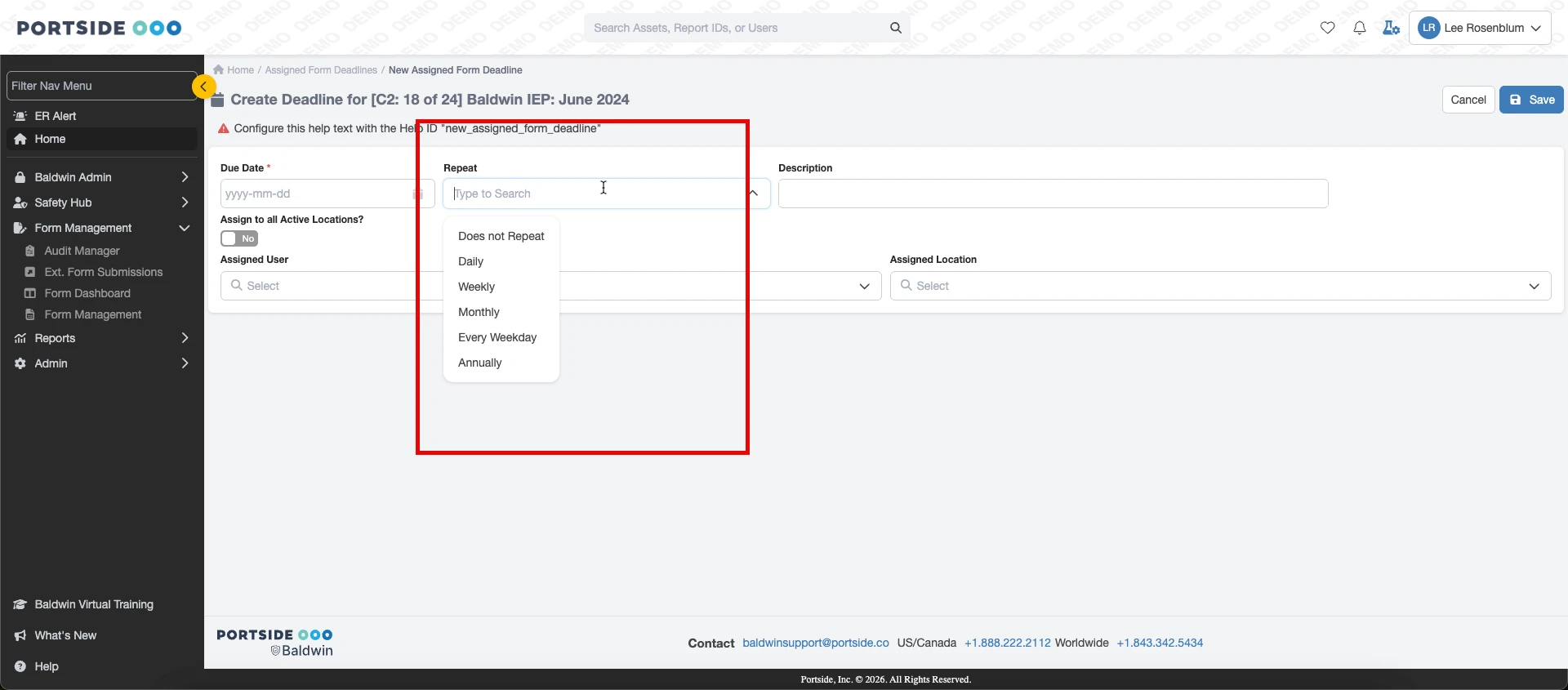
You can now create recurring audit deadlines that automatically repeat on a schedule you define. This eliminates the need to manually enter each occurrence and helps ensure important audits are not missed.
Bulletins
Bulletin categories are no longer restricted to administrative roles. All users can now create bulletins in any category. Category settings can be managed on the bulletin category configuration page.
Chart Builder
When creating a chart, you can now filter results by impacted operation, allowing for more targeted analysis and reporting.
Hazards
You can now export all hazards or an individual hazard to PDF for easier sharing, documentation, and recordkeeping.
Default Favorites
The Default Favorites page has been redesigned to align with the Personal Favorites experience. You can now choose to apply favorites to all users (existing and new) or only to new users moving forward.
My Submissions
You can now save custom filters when viewing submissions, making it easier to quickly return to frequently used views
Regions and Locations
Regions and locations are now managed together in a single feature. You can also associate a location with multiple regions, providing greater flexibility in how your operational structure is organized.
Related Articles
Baldwin Blog Articles
Explore our latest blog articles to learn more about safety management, best practices, and industry insights. Click here to stay informed and enhance your organization’s safety culture.View NOTAMs on Form Submissions
How does it work? When an airport is selected via the airport picker field in one of your Baldwin forms, you have the option to have important NOTAM information displayed. To incorporate NOTAMs on your airport picker fields in your RA(s), contact ...Reactivate user
Who Can Use This Feature? Only users assigned to the Client Administrator role have access to this feature. How to Reactivate a User Go to the main Users Index page. In the search field, enter the user’s name and change the status dropdown to ...Adding BaldwinSafety.com to Your Home Screen
Here’s how you can add BaldwinSafety.com to your phone’s home screen for easy access: On an iPhone (Safari Browser) Open Safari and go to baldwinsafety.com. Tap the Share button at the bottom of the screen (it looks like a box with an upward arrow). ...View Airport Information (Station) on Form Submissions
How Does it Work? When an airport is selected via the airport picker field in one of your Baldwin forms, you have the option to have airport station information displayed. To incorporate the airport information fields in your RA(s), click here to ...